
01
Pick a notification mode
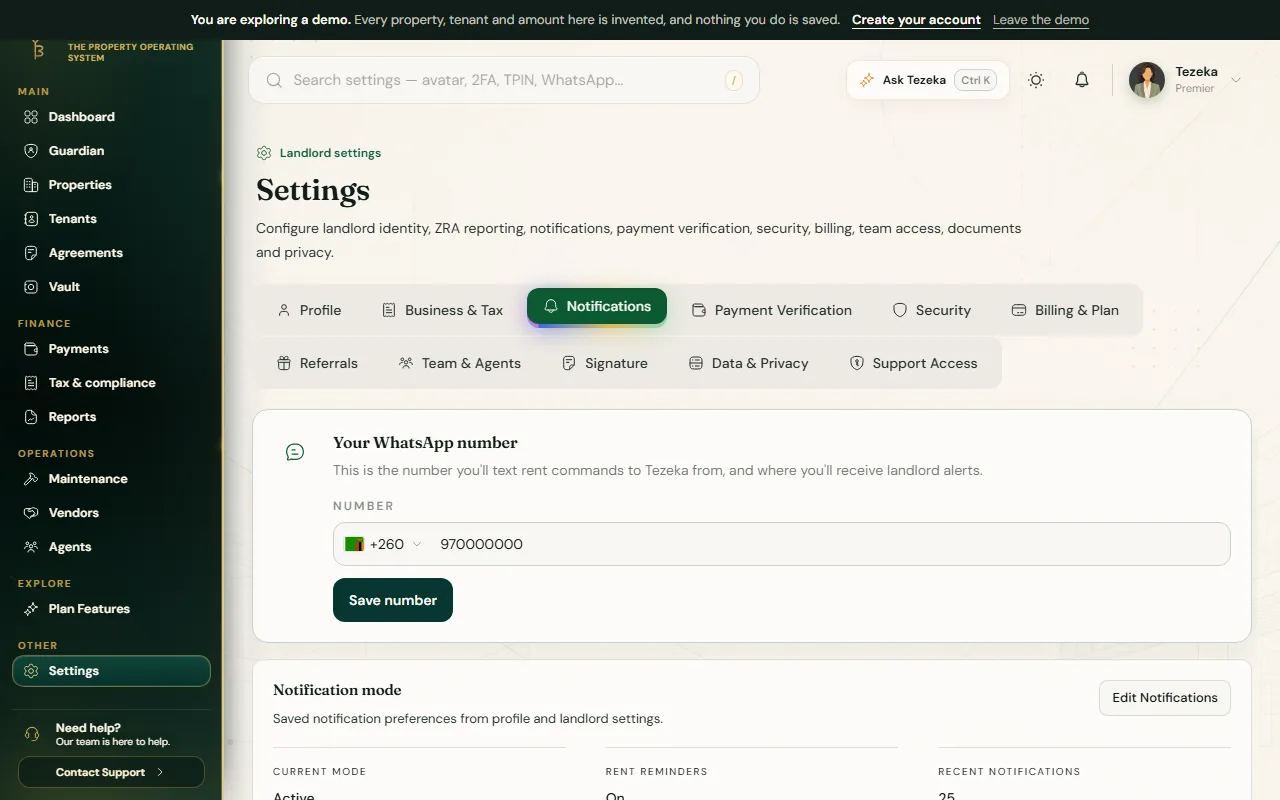
- Open Settings then Notifications and choose Edit Notifications.
- Pick your Notification mode from what your plan allows.
Active sends every update as it happens. Summary holds routine updates in your Tezeka feed and only interrupts you for decisions, urgent issues and the morning digest. Executive goes further still: only decisions waiting on you and critical alerts reach your phone or inbox, everything else waits in the feed.
02
Delivery channels and events
- Under Delivery channels, tick WhatsApp, SMS and email in any combination. Tezeka tries them in the order shown and stops at the first that gets through; keep at least one on.
- Under Which events notify you, switch individual events on or off: payment received, overdue rent, short payment, maintenance emergency, agent activity, lease expiry.
03
Rent reminder timing and the late-fee default
Rent reminder timing sets how many days before due date a reminder goes out, whether a reminder fires on the due day itself, and how often an overdue reminder repeats. On Pro, a final escalation day and a portfolio-wide late-fee default become available: an amount and a trigger day applied to any tenant who does not already have their own late-fee rule. A tenant's own rule, set on their page, always wins over this default.
If something goes wrong
A tenant is not getting reminders at all.
Check Tenant rent reminders is switched on, and that WhatsApp is ticked under delivery channels with a working number on the tenant's record.
I want fewer interruptions without losing anything urgent.
Move to Summary or Executive mode if your plan allows it. Decisions and critical alerts still reach you; routine updates wait in your feed instead.
Still stuck? Contact support.