
01
What it holds
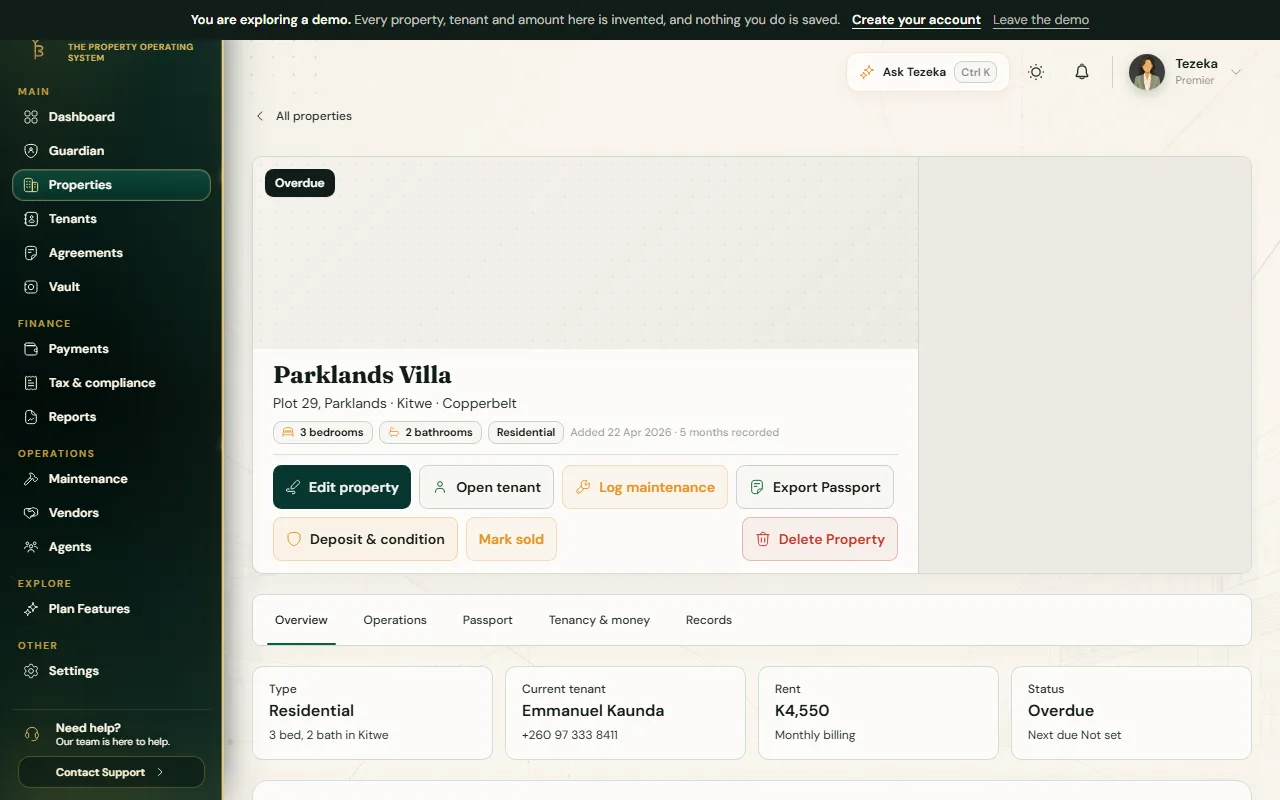
Open a property and choose the Passport tab. It gathers the property's identity, its tenancy timeline, its sealed agreements, its move-in and move-out condition reports, and any secured documents attached to it, then scores how complete that record is.
Where a document has been fingerprinted, Tezeka shows its hash so it can be checked against the file itself; a property with nothing yet recorded simply shows as not yet complete rather than as an error.
02
Share it
- From the property page, choose Export Passport.
- It downloads as a private PDF, owner-authorised, meant to be shared directly with whoever you choose: a bank, a buyer, a co-owner.
NoteThere is no separate transfer-of-ownership feature. Exporting the PDF and sending it yourself is how a Passport is shared.
If something goes wrong
Export Passport is not showing.
The property summary export is on every plan; if it is missing, refresh the property page or check you are viewing a property you own.
The completeness score looks low.
It reflects what is actually on record: a property with no move-in report or no sealed agreement yet scores lower until those exist.
Still stuck? Contact support.