
01
Record a cost
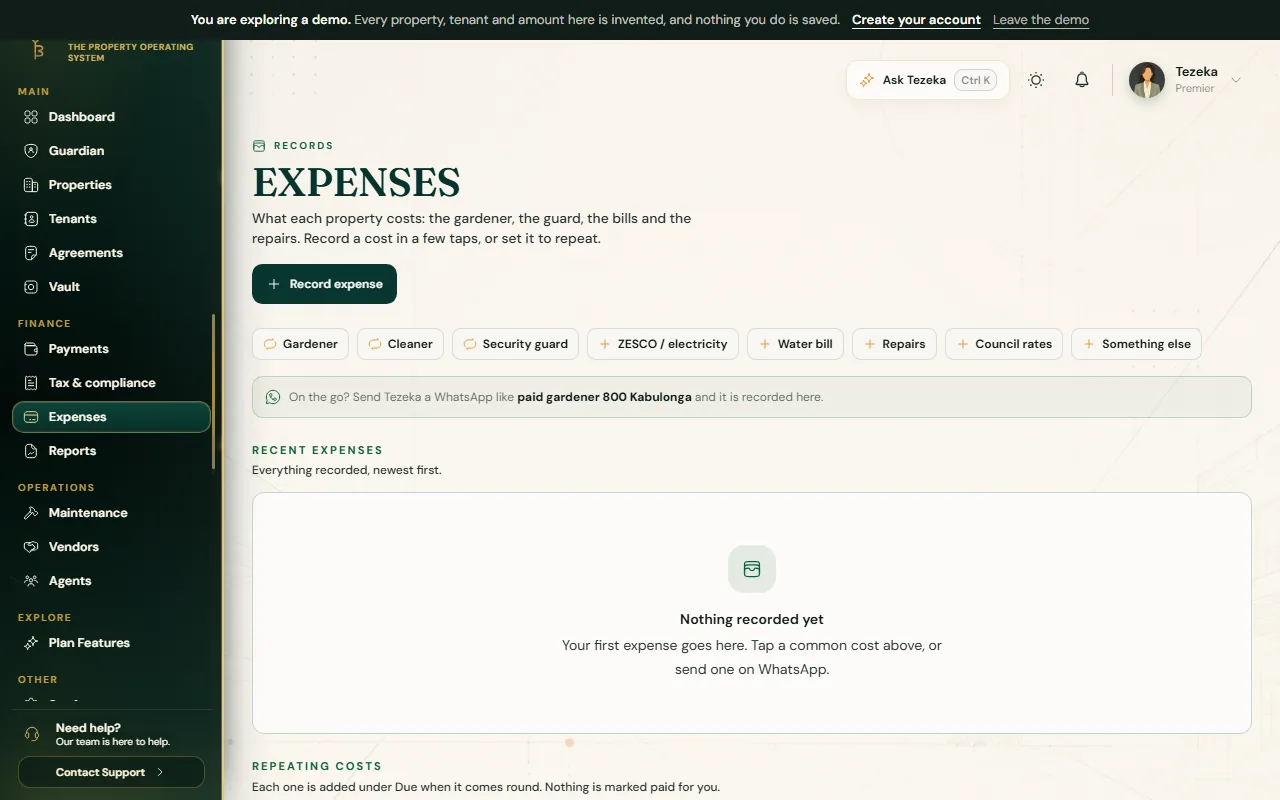
- Choose Expenses in the menu, under Finance.
- Tap one of the common costs under Record a common expense, such as Gardener or Security guard, or choose Record expense for anything else.
- Pick Which property?, enter How much?, and add who you paid if you like.
- Leave it marked as already paid if you have paid it, then save.
02
Keep the receipt with it
- Under Recent expenses, choose Add receipt on the cost and pick the photo or PDF.
- It is saved straight away and the row then shows Receipt. Tap it to open the receipt.
- Each receipt is fingerprinted, so the same one cannot back two expenses, and once attached it stays. Receipts are kept with the expense, not in your Vault.
03
Costs that repeat
For the gardener every month or a guard every week, switch on This repeats when you record it and choose Every week or Every month. Each time it comes round, Tezeka adds it under Due. Nothing is marked paid for you: choose Mark paid once you have actually paid it.
Under Repeating costs you can Pause one while, say, the gardener is away, and Resume it when they are back.
04
From WhatsApp
Send Tezeka a message from your own WhatsApp number, such as paid gardener 800. If you have more than one property, Tezeka asks which one, or add its name to the message: paid gardener 800 Roma flats. You get a reference back, and the cost is on the Expenses page straight away.
If something goes wrong
Tezeka did not understand my WhatsApp message.
Name the cost and the amount, for example paid gardener 800, or start with spent: spent 450 water bill. Your WhatsApp number must be the one saved in Settings, Notifications.
A repeating cost shows twice.
Each repeat is added only once per week or month, so a second entry was recorded by hand as well. Check the dates and the note on each to tell them apart.
Still stuck? Contact support.