
01
Build a report
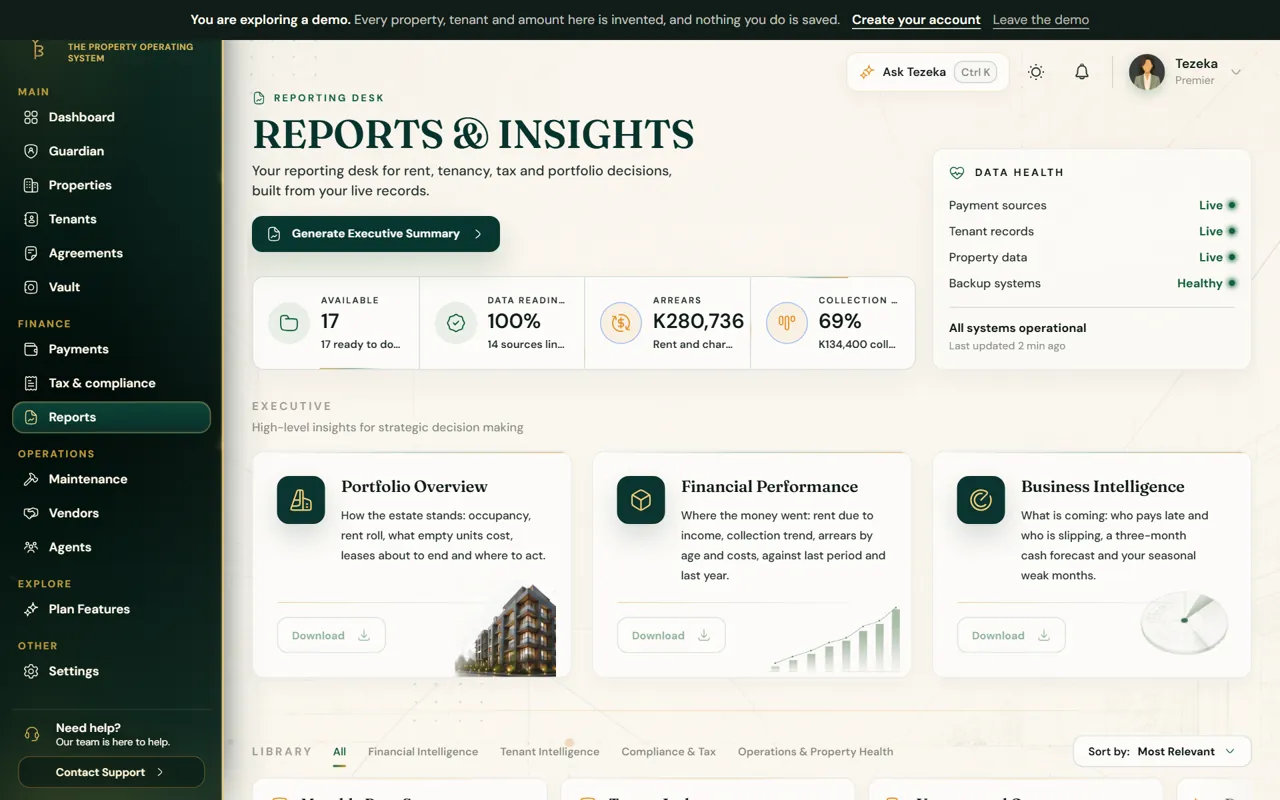
- Open Reports and choose a report and a period.
- Carry on working. A tray shows the report being prepared, and the bell tells you when it is ready.
- Download it from the tray or from the bell.
02
Reading a report
Each report opens with the short version and numbered actions naming the tenant, the amount and the date. The tables follow. Still owed is always added up tenant by tenant, so one tenant paying extra never hides what another owes.
The last page says what was included, what was left out and how each figure is defined.
03
The annual report
Your year in review: what the year brought in, what it cost, each property ranked, your market in anonymous figures, and priorities for the year ahead.
It is issued once a year, in January, for the year just ended, and can be downloaded until 31 January. Save it to your Vault from the tray to keep it.
NoteMarket figures are built only from areas where at least five landlords and eight tenancies report, so no one can be identified.
If something goes wrong
The annual report says it opens on 1 January.
It covers a complete year, so it is only issued in January for the year before.
A report shows fewer tenants than I have.
Reports only count rent due inside each tenancy, from the move-in date or the date tracking starts.
Still stuck? Contact support.